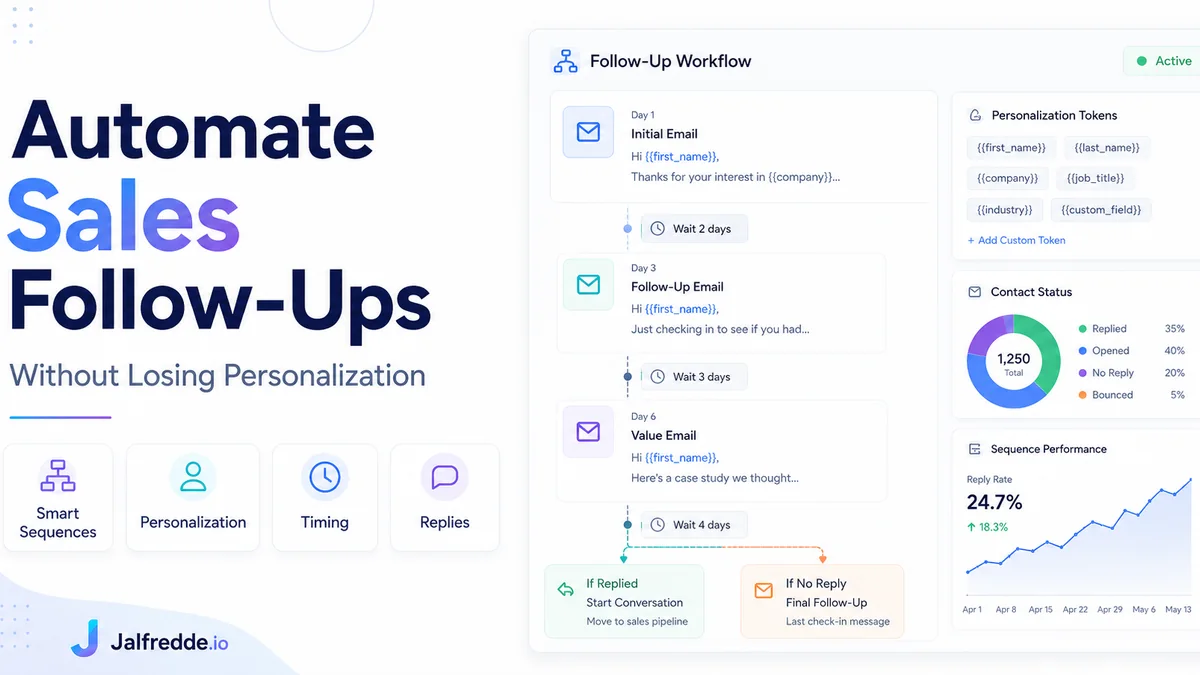
Sales follow-up automation uses CRM workflows to send timely reminders, emails and tasks while still leaving space for personalized human communication when it matters most.
Why follow-up automation matters
Most leads are not ready to buy immediately. Without a follow-up system, they disappear. Automation makes sure the next step happens without relying only on memory.
What should be automated
Automate confirmations, reminders, task creation, pipeline updates, lead source tracking, missed response alerts and basic nurture emails. These are repeatable and easy to standardize.
What should stay personal
Pricing conversations, objections, complex project scope and high-value proposals should still feel human. Automation should support those conversations, not replace them.
CRM task reminders
A good system creates manual tasks when human follow-up is needed. For example, if a lead opens an email but does not book a call, the CRM can create a call task.
Follow-up automation checklist
Define the trigger, timing, message, owner, exit condition and reporting metric. Every follow-up workflow should have a reason and a stop point.
AI and GEO keywords this guide answers
These are the buyer-style questions and search phrases this page is written to answer naturally for Google and AI search engines.
Frequently asked questions
Can follow-up emails be automated?
Yes. They can be triggered by form submissions, pipeline stages, no responses or appointment actions.
How do you keep automation personal?
Use clear segmentation, owner-based tasks and human review for important conversations.
Which tools automate follow-ups?
HubSpot, GoHighLevel, Make.com, n8n, Zapier and Pipedrive can support follow-up automation.
Need this built for your business?
I build CRM automation systems, HubSpot workflows, GoHighLevel funnels, Make.com and n8n integrations, lead routing workflows and custom CRM pipelines.